
Mobile Number Login
A registered mobile number may be used to identify your account. Enter the correct number and country code when requested. Check every digit before continuing, especially if you recently changed your contact details.
Having trouble signing in or unsure which login option to choose? Getting into your account should feel simple, not confusing. RRummy Games Login Methods deserve attention before you enter your personal details or download anything.
Whether you are returning or accessing an account for the first time, check every step carefully. The correct login process depends on the officially provided options. Keep your registered details ready and protect your verification information.
Different platforms can offer different ways to access registered accounts. You should check the available options instead of assuming every method works. Always use the genuine application or verified website when entering your details.
A registered mobile number may be used to identify your account. Enter the correct number and country code when requested. Check every digit before continuing, especially if you recently changed your contact details.
Some login screens ask for a registered identifier and password. Enter both carefully, and check whether your keyboard changes case. Never save your password on a shared or unfamiliar device.
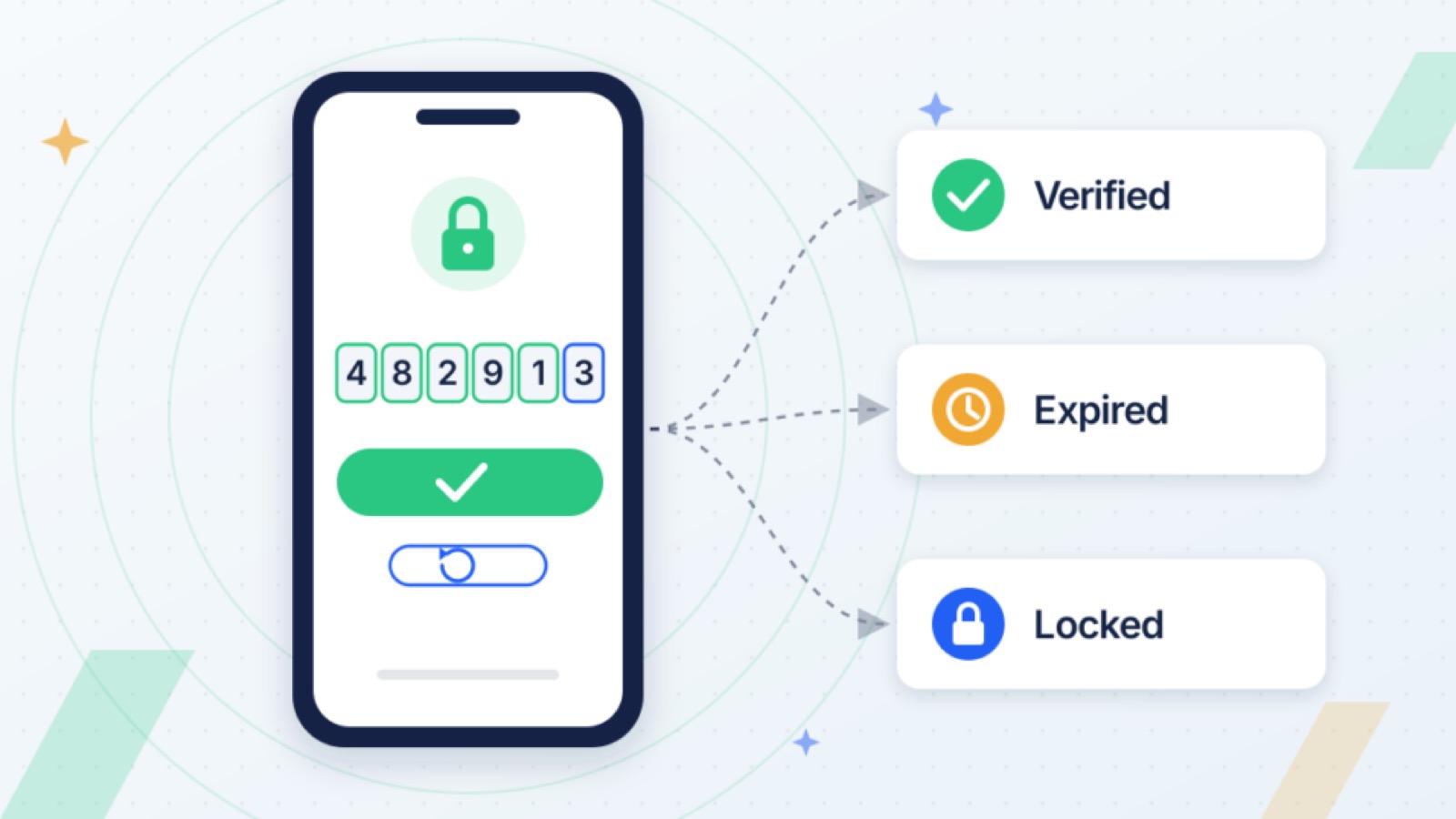
A one-time password may be used to confirm that you control your registered contact number. Request it only through the official login screen. Never forward the code to another person, even if they claim to offer assistance.
Email access may be available if the platform supports registered email credentials. Enter the address linked to your account and check for typing errors. Use only official recovery instructions if you cannot access that inbox.
Already have an account and simply need access again? Choose the existing-account option rather than creating another profile. Follow the displayed steps and check your details before submitting the login request.
A familiar login screen can still be confusing when options change. Start by opening the verified application or website and checking the instructions displayed. Never enter account information on a link sent by an unknown contact.
Use the application or website obtained through a trusted source. Check the address carefully before entering personal information. Avoid imitation pages that use similar names, unusual spellings, or suspicious links.
Review the sign-in choices displayed on the screen. Choose the method connected to your existing account. If an option is missing, do not assume another method will automatically work.
Provide the mobile number, email address, or other requested identifier. Check the information before moving to the next step. Incorrect details can prevent verification and make account recovery more difficult.
Follow the instructions displayed by the official login process. Enter an OTP only when you requested it yourself. Never share verification codes with callers, messaging contacts, or unofficial representatives.
After signing in, check whether your account information appears correctly. Review the displayed profile and account status. If anything looks unfamiliar, stop and seek assistance through verified support channels.
Your first sign-in may involve different steps from returning account access. Understand the distinction before selecting an option. This can help you avoid duplicate profiles and unnecessary verification problems.
Think back to whether you previously registered using your number or email. If an account already exists, select its login option. Creating another profile may confuse existing account records.
If you have never registered, check whether creating a new account is available. Read the terms and eligibility conditions before continuing. Provide accurate details and avoid using someone else's contact information.
Returning accounts should generally use their associated login information. A different number or email may not identify the same profile. Check your earlier registration records if you cannot remember the details.
Repeated registration attempts can make account access more confusing. Check for an existing profile before starting another registration. If you are unsure, contact verified support rather than guessing.
Once signed in, check the displayed profile details carefully. Confirm that the contact information belongs to you. Report unfamiliar changes through official channels as soon as possible.
A password error can happen even when you believe the details are correct. Check simple causes before repeatedly attempting to sign in. Protect your credentials while following the platform's verified recovery process.
Passwords may contain uppercase letters, lowercase letters, numbers, and symbols. Check your keyboard settings before entering the details again. Watch for accidental spaces when copying information from a secure record.
An enabled Caps Lock key can change your password unexpectedly. Your device may also switch keyboard languages or layouts. Review these settings before deciding that your password has stopped working.
If you cannot remember your password, look for a recovery option. Follow the instructions displayed in the verified application or on the website. Avoid recovery links sent by unknown people through messages.
If a reset is available, choose a unique and difficult password. Avoid birthdays, common words, or details others can easily guess. Never reuse your banking password for a gaming account.
Store your password securely and avoid sharing it with anyone. Genuine assistance should not require your existing password. If someone requests it, stop communicating and independently verify the contact.

Verification codes can make account access easier when properly protected. However, delays and incorrect entries can interrupt the process. Request codes only through the official screen and keep every code private.
Select the OTP option only if it appears on the verified login screen. Check the registered mobile number before requesting a code. Do not use numbers supplied by unknown contacts.
A weak signal can delay incoming verification messages. Check your network connection and whether your phone receives other messages. If the issue continues, follow the displayed recovery instructions.
Your device may filter messages from unfamiliar senders. Check spam or blocked message folders where available. Never install unknown applications simply because someone promises faster OTP delivery.
If you requested multiple codes, older ones may no longer work. Use the most recent code displayed by the official process. Enter it carefully and avoid sharing it with anyone.
An OTP can help another person access your account. No stranger should receive your verification code. If you shared one accidentally, secure your account immediately through verified recovery options.
Sometimes, the problem is not your password or internet connection. Incorrect registration information can prevent the platform from identifying your account. Review the original details before trying another sign-in method.
A single incorrect digit can prevent successful account identification. Check the number you originally registered with. If you changed numbers, look for an official account update or recovery process.
Email addresses can contain small spelling mistakes that are easy to miss. Check the domain, punctuation, and registered inbox. Use the correct recovery process if you no longer control that address.
An incorrect country code can direct verification to the wrong number format. Review the code shown beside the mobile number field. Do not change it randomly when a verification message fails.
You may have lost access to the phone number or email used earlier. Check whether official account recovery supports contact updates. Never ask another person to receive verification codes on your behalf.
If your information repeatedly appears invalid, stop guessing. Check previous registration records and the exact identifier used. Contact verified support if you cannot identify the correct account details.
Login errors can also come from the device or application itself. Check basic compatibility and connection settings before changing account information. Use trusted installation sources and avoid modified application files.
A weak connection can interrupt the sign-in process. Try a stable network and check whether other applications work normally. Avoid entering credentials repeatedly while the connection keeps dropping.
An outdated application may behave differently from its current version. Check for updates through the verified distribution source. Avoid downloading installation files from unknown websites or messaging groups.
Low storage can affect application performance and updates. Check available space before trying again. Remove unnecessary files safely, but avoid deleting important account records or recovery information.
A simple restart can sometimes resolve temporary device issues. Close the application before restarting and reopen it afterward. If the same error returns, record the message for further troubleshooting.
Review the operating system requirements stated by the verified source. Older devices may not support every application version. Do not bypass security warnings to force an installation.
Your account security depends on more than choosing a strong password. You should also check links, devices, verification requests, and unexpected activity. RRummy Games Login Methods should always be used through trusted access points.
Whenever possible, sign in using your own trusted device. Shared devices can store passwords or retain active sessions. If you must use one, avoid saving credentials and sign out afterward.
Public networks may not provide the privacy you expect. Avoid entering sensitive details over unfamiliar connections. Use a trusted network and keep your device security settings enabled.
Before entering credentials, inspect the website address carefully. Look for unusual spelling, extra words, or unfamiliar domains. If the address cannot be verified, close it and open the official source directly.
Leaving an account open can expose your information to others. Sign out after using a shared device. If the platform offers session management, review active sessions and close unfamiliar ones.
Unexpected profile changes or login alerts deserve attention. Secure your credentials and review available account settings. Report suspicious activity through verified support rather than replying to unknown messages.
Losing access to your login information can feel frustrating. The safest approach is to follow the platform's recovery process. Avoid unofficial recovery services that promise access in exchange for money.
Work out whether the problem involves your password, number, email, or verification access. Knowing the missing detail helps you choose the correct recovery route. Avoid trying random combinations repeatedly.
Look for password or account recovery instructions on the verified login screen. Follow the steps carefully and check the displayed requirements. Do not use recovery links from unknown messages or advertisements.
Recovery may depend on access to your original mobile number or email. Check whether you can receive the required verification. If not, look for an official alternative process.
A legitimate recovery process may ask for limited account-identification details. Share them only through a verified channel. Never provide passwords, banking PINs, or one-time codes to a representative.
Save any reference number or confirmation shown after submitting a request. Note when you contacted support and what information you provided. This makes a later follow-up easier to explain.
An error message can point toward the cause of a sign-in problem. Read it carefully instead of immediately changing your account details. The following table covers general troubleshooting checks, not confirmed platform error codes.
Check the spelling, letter case, and keyboard layout. If the password still fails, use the official reset option. Avoid repeated guessing because additional attempts may trigger security restrictions.
Check whether you entered the latest code before it expired. Confirm that the code was requested through the official login screen. Never ask another person to send or receive codes for you.
Some platforms may restrict access after unusual or repeated attempts. Read the displayed message and stop making further attempts. Contact verified support if the restriction remains unexplained.
Check your connection and whether the application needs an update. Close and reopen it after checking your device. If the issue continues, record the error and seek verified assistance.
A session may end after inactivity or a security check. Return through the official login screen and sign in again. Report unfamiliar session activity if you did not initiate it.
If you prefer an application, check its source before installing it. A download link should be verified and compatible with your device. Never install modified packages or enter credentials into an unfamiliar version.
Use only a download source clearly identified as official. Check the website address and publisher information where available. Avoid files forwarded through unknown groups or personal messaging accounts.
Check the operating system and storage requirements before installation. Make sure your device can support the available version. Do not turn off security protections to install an unverified package.
Review the permissions requested during installation and first use. Consider whether each permission has a clear purpose. Decline unnecessary access and stop if the application requests suspicious privileges.
After installation, check the application name and source details. Avoid opening unexpected links or pop-ups requesting account credentials. Use the displayed sign-in process only after verifying the application.
Updates may address compatibility or security problems. Check for them through the same verified source used for installation. Avoid modified versions promising special login access or extra account benefits.
Sometimes, basic troubleshooting does not solve the problem. In that situation, prepare a clear explanation before contacting support. Use only contact information confirmed through the platform's official application or website.
Describe what happens when you attempt to sign in. Mention the displayed error and the step where access stops. Clear details can help avoid unnecessary questions and repeated troubleshooting.
Provide only the account-identification details requested through verified support. Mention your registered contact method when appropriate. Never include your password, OTP, or banking credentials in the message.
A screenshot can show the error more clearly than a long explanation. Hide private notifications and sensitive details before sharing it. Use a verified support channel rather than posting account information publicly.
Explain whether you checked your connection, updated the application, or reset your password. Include any change that occurred after troubleshooting. This helps prevent repeated suggestions that you already attempted.
Keep the confirmation or reference number provided after submitting your request. Use it when following up through the same channel. Avoid paying anyone who promises faster account recovery.
Good habits can reduce avoidable access problems and security risks. Take a few seconds to check your details each time. Keep your credentials private and avoid shortcuts suggested by unknown contacts.
Choose a password that you do not use elsewhere. Avoid simple number sequences and publicly known personal details. A unique password can limit the impact if another account becomes compromised.
Check whether your registered contact information remains accessible. Outdated details can complicate verification and account recovery. Follow official instructions if you need to update your number or email.
Shared devices may retain login information or browser sessions. Avoid automatic password saving when other people use the device. Sign out completely and close the browser after accessing your account.
Pay attention to alerts about unfamiliar access or account changes. Do not ignore messages you cannot explain. Open the official application directly before checking any notification-related account issue.
Unknown people may promise instant access for a fee. Such offers can expose your credentials or money to fraud. Use official recovery options and verify every contact independently.
A smooth sign-in starts with the correct account details and a trusted access point. RRummy Games Login Methods should always be verified using the platform's official information. Keep your password private and follow the displayed security steps.
Before you download or sign in, verify the source and review device requirements. Never share OTPs, passwords, or banking credentials with strangers. If access fails, use official recovery options and protect your account.
RRummy Games Login Methods refers to the ways an account may be accessed. Options can vary depending on the platform's current setup. Check the verified login screen for methods actually available.
Mobile number access may be available if the platform supports it. Use the number connected to your existing account. Check the country code and follow the displayed verification steps.
OTP login is only possible if the platform supports it. Request the code through its verified login screen. Never share the code you receive with another person.
Look for an official password recovery option on the login screen. Follow its verification instructions and create a unique replacement password. Avoid third-party recovery services or links from unknown contacts.
Check your network, registered number, and message filters first. Make sure the number is entered correctly. If the problem persists, follow the official recovery instructions instead of repeatedly requesting codes.
Email login depends on whether the platform supports it. Check the available options on the verified login screen. Use the email associated with your existing account.
The entered information may not match your registered account. Check your number, email, and password carefully. If the details remain unrecognised, contact verified support.
Read the displayed restriction message and avoid repeated login attempts. Follow the official instructions or contact verified support. Never pay an unknown person to unlock your account.
Access on another device depends on platform rules and security checks. Use a trusted device and the official login process. Sign out afterward if the device is shared.
Saving credentials may be convenient on a private, protected device. Avoid doing so on public or shared devices. Use a secure password manager if appropriate and keep device protection enabled.
Check the website address, spelling, and source before entering details. Be cautious with unexpected links and unusual requests. Open the verified application directly whenever you are uncertain.